Env Variables
We talked about environment variables in the project setup section. If you haven't read it, make sure to check it out first. In this section, we'll talk about environment variables in the context of deploying the app.
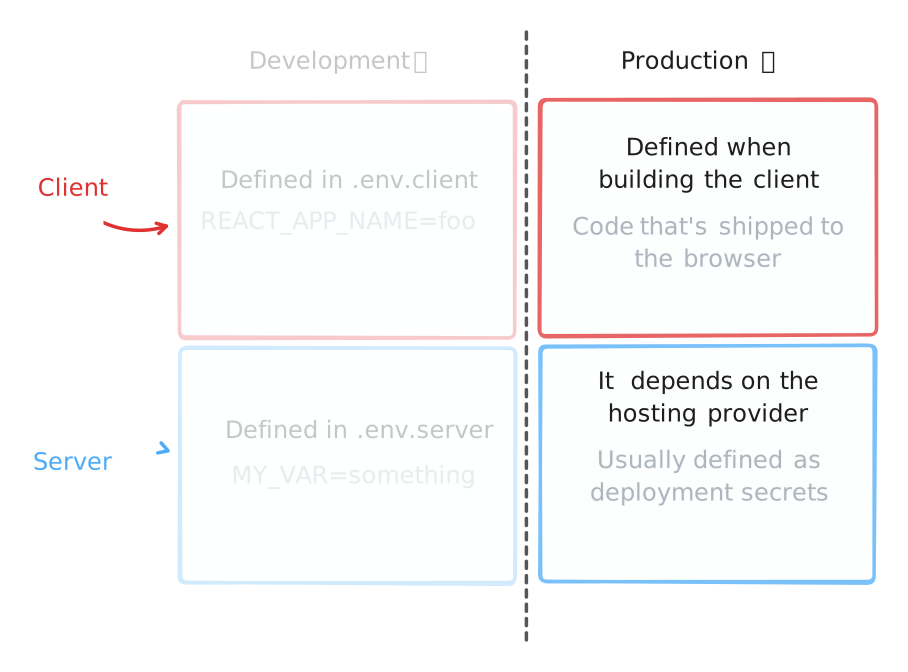
While developing our app on our machine, we had the option of using .env.client and .env.server files which made it easy to define and manage env vars.
However, when we are deploying our app, .env.client and .env.server files will be ignored, and we need to provide env vars differently.
Client Env Vars
During the build process, client env vars are injected into the client Javascript code, making them public and readable by anyone. Therefore, you should never store secrets in them (such as secret API keys).
When building for production, the .env.client file will be ignored, since it is meant to be used only during development.
Instead, you should provide the production client env vars to the command that builds your app.
Make sure to check the required client env vars and set them when building for production, the build will fail if any required env vars are missing.
If you build your app with the Dockerfile Wasp generates, you pass them in with the WASP_CLIENT_ENV build argument, as shell assignments, one per line:
docker build \
  --build-arg WASP_CLIENT_ENV="REACT_APP_SOME_VAR_NAME='somevalue'
REACT_APP_SOME_OTHER_VAR_NAME='someothervalue'" \
  -t my-wasp-app \
  .wasp/out
Also, notice that you can't and shouldn't provide client env vars to your app by setting them on the hosting provider (unlike providing server env vars, in that case this is how you should do it). Your pages and assets will ignore those, since their values were already written into them when they were built.
What happens behind the scenes is that Wasp will replace all occurrences of import.meta.env.REACT_APP_SOME_VAR_NAME in your client code with the env var value you provided. This is done during the build process, so the value is injected into the static files produced from the client code.
Read more about it in Vite's docs.
Server Env Vars
When building your Wasp app for production .env.server will be ignored, since it is meant to be used only during development.
You can provide production env vars to your server code in production by defining them and making them available on the server where your server code is running.
Make sure to go through all the required server env vars like DATABASE_URL, WASP_SERVER_URL etc. and set them up in your production environment.
While some env vars like WASP_SERVER_URL have default values in development, they are required in production and must be explicitly set. WASP_SERVER_URL is your app's public URL, which is also where its pages are, so WASP_WEB_CLIENT_URL defaults to it and you only have to set it when the two differ.
If you are using the Wasp CLI deployment method, Wasp will set the general configuration env vars for you, but you will need to set the rest of the env vars yourself (like the ones for OAuth auth methods or any other custom env vars you might have defined).
Setting server env variables up will highly depend on where you are deploying your server, but in general it comes down to defining the env vars via mechanisms that your hosting provider provides.
For example, if you deploy your app to Fly, you can define them using the fly CLI tool:
fly secrets set SOME_VAR_NAME=somevalue
We talk about specific providers in the Cloud Providers section or the self-hosted deployment section.